
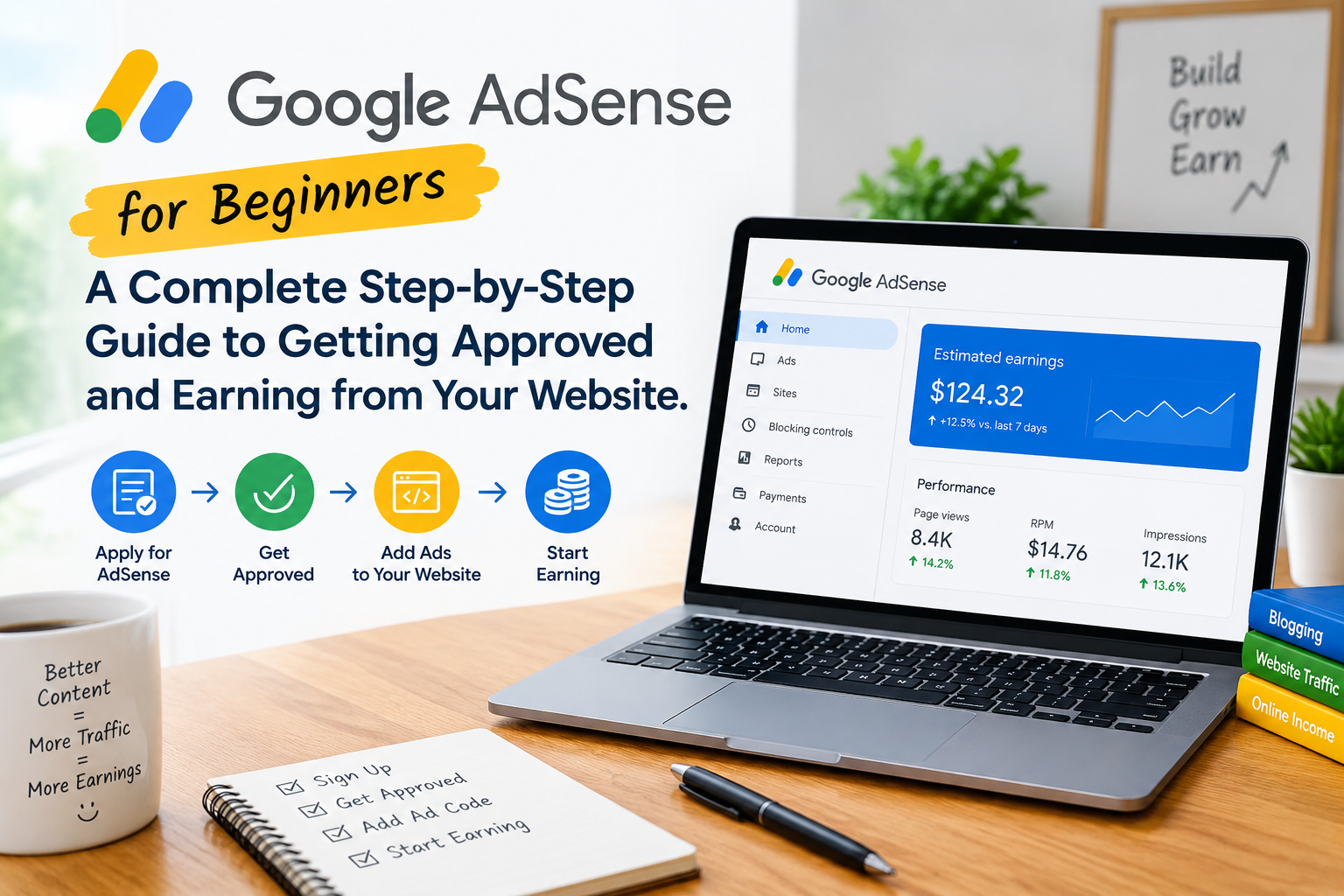
If you have a website, blog, or online publication, Google AdSense can be one of the simplest ways to monetize your content.
AdSense allows website publishers to display advertisements and earn revenue when eligible ads are shown to visitors or when users interact with those ads. However, creating a website and placing advertisements on it does not automatically result in approval or significant earnings.
Google looks at factors such as the quality and originality of your content, your site’s compliance with publisher policies, the way your website is presented, and the quality of your traffic. Google specifically advises publishers to provide unique, interesting content and a good user experience before applying.
This guide explains the AdSense process from beginning to end—from preparing your website and creating useful content to applying, connecting your site, understanding ads.txt, avoiding invalid traffic, and improving your monetization strategy.
Important: Google can change its policies, eligibility requirements, interface, and monetization systems. Always check the current official Google documentation before making decisions about your AdSense account.
1. What Is Google AdSense?
Google AdSense is a publisher advertising program that allows eligible website owners to display advertisements on their websites.
The basic relationship is:
Advertiser → Google advertising system → Publisher’s website → Visitor → Ad interaction → Publisher revenue
Advertisers pay to promote products, services, websites, apps, and other offerings. Google operates advertising systems that match eligible advertising demand with available publisher inventory.
The website owner is generally called the publisher.
For example, imagine you publish an article explaining how to use an AI writing tool. A visitor arrives through Google Search and sees an advertisement related to software or another relevant product.
If the ad is served and qualifies for revenue, the publisher may earn advertising revenue according to Google’s applicable systems and terms.
Important AdSense terms
Impression: An ad is displayed to a visitor.
Click: A visitor interacts with an advertisement by clicking it.
CPC: Cost per click. This refers to the amount advertisers may pay for a click, although the publisher’s actual earnings are determined by Google’s revenue-sharing and auction systems.
CPM: Cost per thousand impressions.
RPM: Revenue per thousand page views or impressions, depending on the specific RPM metric being discussed.
Your actual earnings can vary substantially depending on factors such as visitor location, advertiser demand, content topic, device, ad placement, seasonality, traffic quality, and other factors.
There is no guaranteed AdSense income level.
2. How Does Google AdSense Work?
At a simplified level, AdSense works through an advertising auction and matching system.
Consider this example:
- An advertiser wants to reach people interested in technology.
- Your website publishes an article about a technology topic.
- A visitor opens your article.
- Eligible advertising systems determine which ads can be shown.
- An advertisement is displayed.
- The visitor may view or interact with the advertisement.
- Eligible activity can contribute to your AdSense revenue.
The exact advertising process is considerably more sophisticated than this simplified example.
The important point for beginners is that you do not normally choose individual advertisers and negotiate a price for every advertisement. Google handles much of the advertising process.
Your responsibility is to operate a quality website, follow Google’s policies, use the advertising technology correctly, and maintain legitimate traffic.
3. Is Google AdSense Free?
Creating an AdSense account does not require you to purchase an AdSense subscription.
However, running a professional website can involve other costs, such as:
- Domain registration
- Web hosting
- Premium WordPress themes
- Plugins
- Email services
- Design services
- Content production
- Marketing
Be particularly careful with anyone selling a service that promises guaranteed AdSense approval.
Google’s approval process is controlled by Google, and purchasing a third-party “approval service” cannot legitimately guarantee that your website will be approved.
Google AdSense Eligibility and Basic Requirements
Google’s official eligibility documentation currently states that you can sign up if you have your own content that meets Google’s policies and you are 18 or older. Google also emphasizes original, high-quality content that attracts an audience.
Here is a practical eligibility checklist.
Basic considerations
- You should have your own website/content.
- Your content should comply with Google’s publisher policies.
- Your content should be original and useful.
- Your website should provide a good user experience.
- You should be able to access and modify the website you submit.
- You must meet applicable age and account requirements.
- AdSense availability depends on country or territory.
- You need to provide accurate account and payment information when required.
Google specifically says publishers are responsible for keeping up with policy changes.
4. Google AdSense Eligibility and Basic Requirements
Google’s official eligibility documentation currently states that you can sign up if you have your own content that meets Google’s policies and you are 18 or older. Google also emphasizes original, high-quality content that attracts an audience.
Here is a practical eligibility checklist.
Basic considerations
- You should have your own website/content.
- Your content should comply with Google’s publisher policies.
- Your content should be original and useful.
- Your website should provide a good user experience.
- You should be able to access and modify the website you submit.
- You must meet applicable age and account requirements.
- AdSense availability depends on country or territory.
- You need to provide accurate account and payment information when required.
Google specifically says publishers are responsible for keeping up with policy changes.
What Google does NOT give you as a universal requirement
You will often see claims online such as:
- “You need exactly 20 articles.”
- “Your website must be six months old.”
- “You need 1,000 visitors per month.”
- “You need 10,000 page views before applying.”
These should not be presented as official universal AdSense requirements unless Google explicitly states them.
Google’s current eligibility documentation does not provide a universal minimum article count, minimum traffic number, or minimum domain age.
Official requirement vs. best practice
This distinction is important.
Official requirement: Something Google explicitly requires through its current policies, terms, or documentation.
Best practice: Something experienced publishers commonly recommend because it can improve website quality, usability, or readiness.
For example, having an easy-to-use navigation system is a sensible best practice and is specifically encouraged in Google’s guidance about preparing pages for AdSense. It does not mean that every design recommendation is a formal approval requirement.
5. How Much Content Should You Have Before Applying?
There is no magic article count that makes a website ready for AdSense.
Instead of asking:
“How many articles do I need?”
ask:
“Does my website contain enough useful content to provide a genuinely valuable experience to visitors?”
Google’s guidance emphasizes unique, interesting content and clear, easy-to-use navigation.
For a technology website, your content library might include:
- AI tutorials
- Software guides
- Technology explainers
- Troubleshooting guides
- Product reviews
- How-to articles
- Comparisons
- Productivity guides
- Web tool guides
- Technology news with meaningful analysis
A site with fewer genuinely useful articles can be more valuable than a site containing hundreds of short articles created primarily to increase page count.
Watch out for thin content
Thin content may provide little value to visitors.
Examples include:
- Extremely short articles that don’t answer the question
- Rewritten versions of information already available everywhere
- Pages created only to target keywords
- Duplicate articles
- Automatically generated pages with little useful information
- Articles with misleading titles
- Large quantities of low-value pages
Google’s search guidance emphasizes helpful, reliable, people-first content rather than content created primarily for search engines.
6. Prepare Your Website Before Applying
Before submitting your site, perform a complete website audit.
1. Use your own domain
A professional domain gives your website a clear identity.
For example:
TechInviter.com
is easier to establish as a distinct publication than a temporary or unfinished web address.
2. Make sure HTTPS works
Your website should load securely using HTTPS.
Check that:
works correctly and that important pages do not generate security warnings.
3. Make the website mobile-friendly
A large percentage of web visitors use smartphones.
Check your website on:
- Android phones
- iPhones
- Tablets
- Desktop computers
Make sure text is readable and buttons are easy to use.
4. Make navigation simple
Visitors should quickly understand:
- What your website is about
- What categories you publish
- Where they can find articles
- How to contact you
Google specifically recommends clear, easy-to-use navigation when preparing a site for AdSense.
5. Organize categories
For a technology website, categories might include:
- AI
- Software
- Gadgets
- How-To
- Reviews
- Business
- Web Tools
- Cybersecurity
Only create categories that you actually intend to develop.
6. Check your links
Click through your website.
Look for:
- Broken links
- Empty categories
- Missing images
- 404 pages
- Buttons that do nothing
- Incorrect menu links
7. Avoid excessive popups
Popups can interfere with the visitor experience.
Use them carefully and make sure visitors can easily close them.
8. Establish a clear site identity
Visitors should be able to tell who operates the website and what its purpose is.
7. Create Important Website Pages
Several pages are particularly useful for establishing a professional website.
About Us
Explain:
- What TechInviter is
- What subjects you cover
- Who the website is for
- What visitors can expect
You can also explain your editorial approach.
Contact Us
Give visitors a way to contact the website.
For example:
- Contact form
- Professional email address
- Business contact information where appropriate
Privacy Policy
Explain how your website handles visitor information, cookies, analytics, advertising technologies, and other applicable data practices.
Privacy requirements can vary depending on your visitors, location, technologies, and applicable laws.
Terms and Conditions
Explain the general rules governing use of your website.
Cookie and Consent Information
Depending on your audience and advertising technologies, you may have additional privacy and consent obligations.
Do not simply copy an old privacy policy from another website and assume that it covers every current requirement.
Disclaimer
A disclaimer can explain the nature and limitations of information published on your site, especially for areas such as product information, financial topics, technology recommendations, or other subjects where appropriate.
Important
Having these pages does not guarantee AdSense approval.
They are part of creating a transparent and professional website.
8. Create High-Quality Content Suitable for AdSense
Your content is one of the most important parts of your website.
Google’s AdSense guidance recommends unique and relevant content that provides value to users.
Good articles should aim to answer the reader’s question rather than simply attract a search-engine visit.
Include useful information
Where appropriate, add:
- Your own explanations
- Practical examples
- Screenshots
- Original observations
- Comparisons
- Step-by-step instructions
- Sources
- Updated information
- Helpful images
- Troubleshooting advice
Avoid plagiarism
Do not copy articles from:
- Competitors
- News websites
- Wikipedia
- Product manufacturers
- Other blogs
You can research information from these sources, but your article should be independently written and add value.
Good technology content examples
A technology website can publish:
How-to guides
“How to Create a Website Backup in WordPress”
AI guides
“How AI Writing Tools Work”
Troubleshooting
“How to Fix a WordPress Editor That Keeps Loading”
Comparisons
“Cloud Storage vs Local Storage”
Reviews
“Samsung Galaxy A57: Features and Everyday Experience”
Explainers
“What Is Generative AI?”
Productivity
“How to Organize Your Digital Files”
The goal should be useful information—not simply increasing your article count.
9. AI-Generated Content and Google AdSense
This is especially important for modern technology websites.
Using AI as a writing or research assistant does not mean that every AI-assisted article is automatically unacceptable.
The more important question is what value the final content provides.
Google’s search guidance emphasizes helpful, reliable, people-first content and warns against content created primarily to manipulate search rankings.
If you use AI to help produce content, consider the following workflow:
Research → AI assistance → Fact-checking → Human editing → Original value → Final review
Don’t simply:
- Ask AI for 100 articles.
- Publish everything automatically.
- Add no original information.
- Never check facts.
- Focus entirely on search keywords.
Instead:
- Verify important facts.
- Correct outdated information.
- Add your own experience.
- Add examples.
- Improve the structure.
- Add useful screenshots where appropriate.
- Check links.
- Remove repetitive sections.
- Make the article genuinely useful.
For a site like TechInviter, your experience using technology tools can become part of the value of the article.
10. Google Search Console and Website Setup
Google Search Console and Google AdSense are different services.
Search Console helps website owners understand how their websites appear and perform in Google Search.
AdSense is a monetization platform.
Search Console can help you monitor:
- Search performance
- Indexing
- Sitemap submission
- Search queries
- Pages appearing in Google
- Technical issues
- Core Web Vitals and other search-related information
Google’s Search Essentials also emphasizes technical requirements, spam policies, and helpful people-first content.
Recommended setup
For a new website:
- Verify your website in Google Search Console.
- Submit your XML sitemap.
- Check indexing.
- Review important pages.
- Monitor technical issues.
- Check search performance as your site grows.
Search Console is not an AdSense approval guarantee, but it is a useful part of managing a professional website.
11. How to Apply for Google AdSense — Step by Step
When your website is ready, you can begin the AdSense application process.
Google’s current process involves adding your site to AdSense, connecting it, and allowing Google to review the site for policy compliance.
Step 1: Go to Google AdSense
Use the official Google AdSense website rather than a third-party application service.
Step 2: Sign in
Use the Google account you intend to associate with your AdSense account.
Step 3: Enter your website
Provide your website information when requested.
Step 4: Provide account information
Google may request personal, tax, payment, or other information depending on your situation and location.
Always provide accurate information.
Step 5: Connect your website
Google requires you to connect your website to AdSense as part of the activation process.
This can involve adding AdSense code or following the current connection instructions shown in your account.
Step 6: Submit your site for review
Google reviews the website.
Google says the site review usually takes a few days, although in some cases it can take 2–4 weeks.
Step 7: Monitor your AdSense account
Check the AdSense dashboard for:
- Review status
- Connection problems
- Policy notifications
- Required actions
- Approval information
Important
Google’s interface can change.
Therefore, follow the instructions currently displayed inside your AdSense account rather than relying on an old tutorial.
12. How to Add AdSense to a WordPress Website
WordPress users have several ways to implement AdSense.
Method 1: Google Site Kit
Google Site Kit can help WordPress users connect Google services to their websites.
It can simplify integration for beginners.
Method 2: WordPress plugins
Some WordPress plugins can help manage advertising code.
Before installing one, check:
- Developer reputation
- Recent updates
- Compatibility
- Reviews
- Security
- Whether the plugin is actually necessary
Method 3: Theme/header implementation
Some themes provide areas where administrators can insert code into the site’s header.
Method 4: Manual implementation
Experienced WordPress users can implement the required code manually where appropriate.
Avoid duplicate implementations
Don’t install multiple systems that all attempt to insert the same AdSense code without understanding what they are doing. Conflicting implementations can create unnecessary problems.
13. What Is ads.txt?
ads.txt stands for Authorized Digital Sellers.
It is an IAB Tech Lab initiative designed to help publishers identify authorized sellers of their advertising inventory.
Google describes ads.txt as a way to help ensure that digital advertising inventory is sold only through sellers that the publisher has identified as authorized.
An ads.txt file is normally accessible from the root of your domain, such as:
https://example.com/ads.txt
Is ads.txt mandatory?
Google currently describes ads.txt as not mandatory but highly recommended.
If AdSense provides an ads.txt entry for your site, use the information shown in your own AdSense account.
Google provides specific instructions for creating and checking the file.
ads.txt vs AdSense code
These are different things.
AdSense code: Connects your website to Google’s advertising system and can be used to display ads.
ads.txt: Identifies authorized advertising sellers. Do not confuse the two.
14. Ad Placement Best Practices
After approval, where you place advertisements matters.
Your goal should be to balance monetization with usability.
Possible locations include:
- Within article content
- Between sections
- Sidebar
- Header areas
- Other eligible locations
- Automatic placements where appropriate
Avoid accidental clicks
Ads should not be positioned so that visitors are likely to click them accidentally.
Do not design your website so advertisements look like:
- Navigation buttons
- Download buttons
- Menu items
- System notifications
- Editorial links
Google’s policies prohibit encouraging users to click ads and address deceptive ad placement.
Don’t overwhelm the page
Your visitors came for your content.
If every section of an article is interrupted by advertisements, the experience can become frustrating. Google also identifies situations involving more advertising or paid promotional material than publisher content as a policy concern.
15. Common Reasons Websites Have AdSense Problems
The following table describes common issues to review. These are not statements that every issue automatically results in rejection.
| Problem | Why It Can Be a Problem | What to Improve |
| Thin content | Visitors may receive little useful information | Expand the topic with genuinely useful information |
| Copied content | Little original value | Rewrite independently and add original value |
| Poor navigation | Visitors may struggle to find information | Simplify menus and categories |
| Broken links | Creates a poor experience | Test and repair important links |
| Misleading headlines | Can disappoint or mislead visitors | Make titles accurately represent content |
| Copyright problems | Can create legal and policy issues | Use content you have rights to use |
| Restricted content | Some content has advertising restrictions | Review current publisher policies |
| Invalid traffic | Can affect advertiser costs and account status | Maintain legitimate traffic |
| Encouraging clicks | Artificially increases ad interaction | Never ask users to click ads |
| Excessive advertising | Can interfere with content | Maintain a healthy content-to-ad balance |
| Poor mobile experience | Makes the site difficult to use | Improve responsive design |
| Missing information | Reduces transparency | Provide appropriate site information |
| Low-value mass content | May provide little value to users | Focus on quality and usefulness |
Google states that publishers are responsible for complying with its publisher policies and that violations can lead to blocked ads, suspension, or account termination.
16. What Is Invalid Traffic?
Invalid traffic is one of the most important AdSense topics every publisher should understand.
Google defines invalid traffic as clicks or impressions that may artificially inflate an advertiser’s costs or a publisher’s earnings.
Examples include:
- Clicking your own advertisements
- Asking friends to click advertisements
- Asking visitors to click ads
- Repeated artificial clicks
- Automated clicking tools
- Bots
- Deceptive traffic sources
- Artificially generated impressions
Google says publishers are ultimately responsible for ensuring that traffic to their ads is valid.
Never click your own ads
Even if you are curious about an advertisement, don’t click it.
Google specifically advises publishers not to click their own ads.
If you want to inspect advertisements appearing on your website, use the appropriate AdSense tools instead.
Be careful with purchased traffic
Not every paid traffic source is automatically invalid, but Google warns publishers about unreliable or low-quality traffic sources that can create invalid traffic problems. Never purchase traffic with the purpose of generating artificial ad clicks.
17. Google AdSense Policies You Should Understand
Before and after approval, become familiar with Google’s current policies.
Important areas include:
Google Publisher Policies
These establish content and behavior requirements for publishers.
Google Publisher Restrictions
Some content may be restricted rather than completely prohibited, meaning advertising availability can be limited.
Invalid traffic policies
These protect advertisers and the advertising ecosystem from artificial activity.
Copyright
You should have appropriate rights to publish the content, images, videos, and other materials on your website.
Privacy
You need to understand the privacy obligations associated with your website, visitors, cookies, analytics, and advertising technologies.
Google says publishers are responsible for keeping up to date with its policies because the policies can change.
18. Privacy, Cookies, and Consent
Advertising technology can involve cookies, local storage, personal data, and other technologies.
The requirements that apply to your website can depend on:
- Where your visitors are located
- Applicable laws
- Advertising technologies you use
- Consent mechanisms
- Google’s current requirements
For example, Google provides specific guidance around consent and advertising in relevant regions.
Do not assume that a privacy policy copied from another website automatically satisfies your responsibilities.
Review:
- Your applicable privacy laws
- Google’s current requirements
- Your analytics configuration
- Your advertising configuration
- Your consent mechanism
When necessary, obtain appropriate professional legal advice for your circumstances.
19. How Much Traffic Do You Need for AdSense?
This is one of the most common questions beginners ask.
The important distinction is:
AdSense approval ≠ AdSense income
A website can potentially be approved without having a huge audience, but meaningful revenue generally requires visitors and advertising opportunities.
Your earnings can depend on:
- Number of page views
- Visitor location
- Content topic
- Advertiser demand
- Device
- Season
- Ad placement
- User behavior
- Traffic quality
There is no single traffic number that guarantees approval or a particular income level.
Example
Imagine a website receives:
10,000 page views
and hypothetically achieves:
$5 page RPM
The calculation would be:
10,000 ÷ 1,000 × $5 = $50
That is only a mathematical example.
It is not a prediction of what your website will earn.
Actual RPM can be significantly higher or lower.
20. How AdSense Earnings Are Calculated
Several advertising metrics are useful for understanding performance.
CPC
Cost per click.
CPM
Cost per thousand ad impressions.
Page RPM
A commonly used revenue metric that relates estimated earnings to page views.
For example:
Page RPM = Estimated earnings ÷ page views × 1,000
If estimated earnings are $20 from 5,000 page views:
$20 ÷ 5,000 × 1,000 = $4 RPM
Again, these metrics can vary over time.
Don’t judge your website based on a single day’s earnings. Google also has multiple payment and verification thresholds. For example, Google’s current USD payment threshold is $100, although thresholds vary by currency and payment account.
21. How to Increase AdSense Earnings Safely
There are legitimate ways to improve your website’s monetization potential.
Publish useful content
Solve real problems.
Increase relevant organic traffic
Create content that people genuinely search for and find useful.
Improve page speed
A faster website can provide a better experience.
Improve navigation
Help visitors discover related articles.
Build topical authority
Instead of publishing random subjects, develop strong content clusters around related topics.
Improve internal linking
Connect related articles naturally.
Update older content
Technology changes quickly. Update outdated information.
Improve ad placement
Use placements that are visible without damaging usability.
Understand analytics
Study:
- Traffic sources
- Popular pages
- Engagement
- Geographic audience
- Search queries
Reduce poor-quality traffic
Do not use artificial methods to inflate visits or advertising activity.
Google’s invalid-traffic guidance specifically recommends avoiding unreliable traffic sources and artificial activity.
Never use these shortcuts
Do not:
- Click your own ads
- Ask people to click
- Use click exchanges
- Use bots
- Buy fake traffic
- Hide advertisements
- Mislead users into clicking
- Incentivize ad clicks
These shortcuts can put your account at risk.
22. AdSense vs Other Website Monetization Methods
AdSense is only one possible revenue source.
| Method | How It Works |
| Google AdSense | Display advertising |
| Affiliate marketing | Earn commissions from qualifying referrals |
| Sponsored content | Companies pay for promotional content |
| Digital products | Sell ebooks, templates, courses, tools, etc. |
| Services | Use the website to generate clients |
| Memberships | Charge users for premium content or services |
A technology website can potentially combine several methods.
For example, TechInviter could eventually combine:
AdSense + affiliate links + technology reviews + digital products + sponsored content The key is to maintain transparency and comply with applicable policies and laws.
23. AdSense for a Technology Website
A technology website has many opportunities to create useful content.
For a site such as TechInviter, potential content sections include:
AI Tools
- AI writing tools
- AI image generators
- AI productivity tools
- AI business applications
- AI tutorials
Software
- Software guides
- Tutorials
- Comparisons
- Troubleshooting
- New software features
How-To
- WordPress tutorials
- Website setup
- SEO basics
- Computer guides
- Online tools
Reviews
- Laptop reviews
- Smartphone reviews
- Software reviews
- AI tool reviews
Technology Explainers
- What is cloud computing?
- What is generative AI?
- How does an AI chatbot work?
- What is two-factor authentication?
Web Tools
- Image tools
- PDF tools
- Text tools
- Productivity tools
The important thing is to build these sections around real user needs, rather than creating dozens of nearly identical pages simply to increase the number of URLs.
24. AdSense Application Checklist
Before applying, go through this checklist:
- Custom domain is working
- HTTPS is working
- Website works on mobile
- Website works on desktop
- Navigation is clear
- Categories are organized
- Content is original and useful
- No obvious copied content
- Important links work
- About page exists
- Contact page exists
- Privacy information is available
- Terms page is available where appropriate
- Disclaimer is available where appropriate
- Search Console is configured
- Sitemap is available
- Website is accessible
- Content complies with Google policies
- No artificial traffic
- No encouragement to click advertisements
- Website has been reviewed on mobile and desktop
This checklist is a readiness checklist, not an official Google guarantee of approval.
25. What to Do After Applying
After submitting your website:
1. Check your AdSense account
Look for review status and messages.
2. Watch your email
Google may contact you about your account or website.
3. Fix requested issues
If Google identifies a problem, address the specific issue.
4. Keep improving the website
Don’t stop publishing useful content simply because you’ve applied.
5. Monitor your website
Continue checking:
- Broken links
- Website speed
- Security
- Search indexing
- Content quality
- Policy compliance
Google’s current site-connection guidance says site reviews usually take a few days but can sometimes take 2–4 weeks. Don’t assume that a longer review automatically means rejection.
26. What If Google Does Not Approve Your Website?
Don’t treat rejection as the end of your website.
First, read the reason or notification provided by Google.
Then:
- Identify the problem.
- Review the relevant Google policy.
- Examine the affected pages.
- Improve weak content.
- Fix navigation problems.
- Resolve technical issues.
- Remove or correct policy-violating material where appropriate.
- Improve the overall user experience.
- Follow the current instructions for addressing the issue or reapplying.
Do not simply make cosmetic changes and immediately repeat the same application.
The objective should be to make the website genuinely better.
27. Frequently Asked Questions
Is Google AdSense free?
There is no AdSense subscription fee simply for participating in the program. However, operating a website may involve domain, hosting, content, and other costs.
Can a new website apply for AdSense?
A new website can potentially apply if it meets Google’s current eligibility requirements. Google does not state a universal minimum website age in its basic eligibility guidance.
How many articles do I need?
Google does not specify a universal minimum article count in its current eligibility guidance. Focus on useful, original content rather than a particular number.
How much traffic do I need?
There is no universal traffic number that guarantees AdSense approval or a particular level of income.
Can I use AI to write articles?
AI can be used as part of a content workflow, but the final content should provide genuine value and should not be produced primarily to manipulate search rankings. Review, fact-check, and improve AI-assisted content before publication. Google’s Search guidance emphasizes people-first content.
Can WordPress websites use AdSense?
Yes. WordPress websites can implement AdSense when they meet Google’s requirements and policies.
Does AdSense work outside the United States?
AdSense is available in many countries and territories. Availability depends on Google’s current list and applicable requirements.
Can a technology website use AdSense?
Yes, technology content can be monetized when the website and its content comply with Google’s policies.
How long does AdSense approval take?
Google currently says site reviews usually take a few days, although some reviews can take 2–4 weeks.
What happens if Google rejects my site?
Review the reason provided, improve the relevant areas, and follow Google’s current instructions for addressing the issue.
Can I use affiliate links with AdSense?
Affiliate marketing and AdSense can potentially coexist, but the website and its content must comply with applicable Google policies and other requirements.
Can I have other advertisements on my website?
Other monetization methods may be possible, but your implementation and content must comply with Google’s current policies.
Can I click my own ads?
No. Google specifically prohibits publishers from clicking their own ads.
How do I receive AdSense payments?
Payments depend on meeting the applicable verification, payment-method, and payment thresholds and completing required account information. Thresholds vary by currency.
Does AdSense guarantee earnings?
No. AdSense does not guarantee a particular amount of revenue.
28. A Simple 30-Day AdSense Preparation Plan
If you’re building a new website, you can use this four-week plan.
Week 1: Website Foundation
Focus on:
- Domain
- Hosting
- HTTPS
- WordPress setup
- Mobile-friendly design
- Navigation
- Categories
- Search
- About page
- Contact page
Make sure the basic website works correctly.
Week 2: Content and Trust
Focus on:
- Publishing useful articles
- Improving article quality
- Adding author information where appropriate
- Creating privacy information
- Creating terms
- Creating a disclaimer where appropriate
- Checking images and copyright
- Removing thin or unfinished pages
Week 3: SEO and User Experience
Set up:
- Google Search Console
- Sitemap
- Basic technical SEO
- Internal links
- Mobile testing
- Page-speed checks
Review your website as if you were a first-time visitor.
Ask:
“Can I easily find what I came here to learn?”
Week 4: Final Review
Check:
- Content quality
- Navigation
- Website speed
- Mobile experience
- Broken links
- Important pages
- Policy compliance
- Search Console
- Sitemap
- Website ownership/access
- Privacy and consent requirements
Then decide whether the website is genuinely ready to submit.
Final Thoughts
Google AdSense can be a useful monetization option for a website, but approval should not be treated as the finish line.
The strongest approach is to build a website that people would find useful even if advertisements did not exist.
For TechInviter, that means focusing on practical technology content, helpful AI guides, software tutorials, troubleshooting articles, product information, reviews, and technology explainers.
Don’t chase an arbitrary article count.
Don’t buy fake traffic.
Don’t click your own ads.
Don’t publish hundreds of low-value AI-generated articles simply because you can.
Instead, build a trustworthy technology publication, improve it continuously, and use AdSense as one part of a broader monetization strategy.
Google’s own guidance emphasizes unique and useful content, clear navigation, policy compliance, and legitimate traffic.
Official Resources
For readers who want to verify current requirements and policies, use Google’s official resources rather than third-party “AdSense approval” websites: