
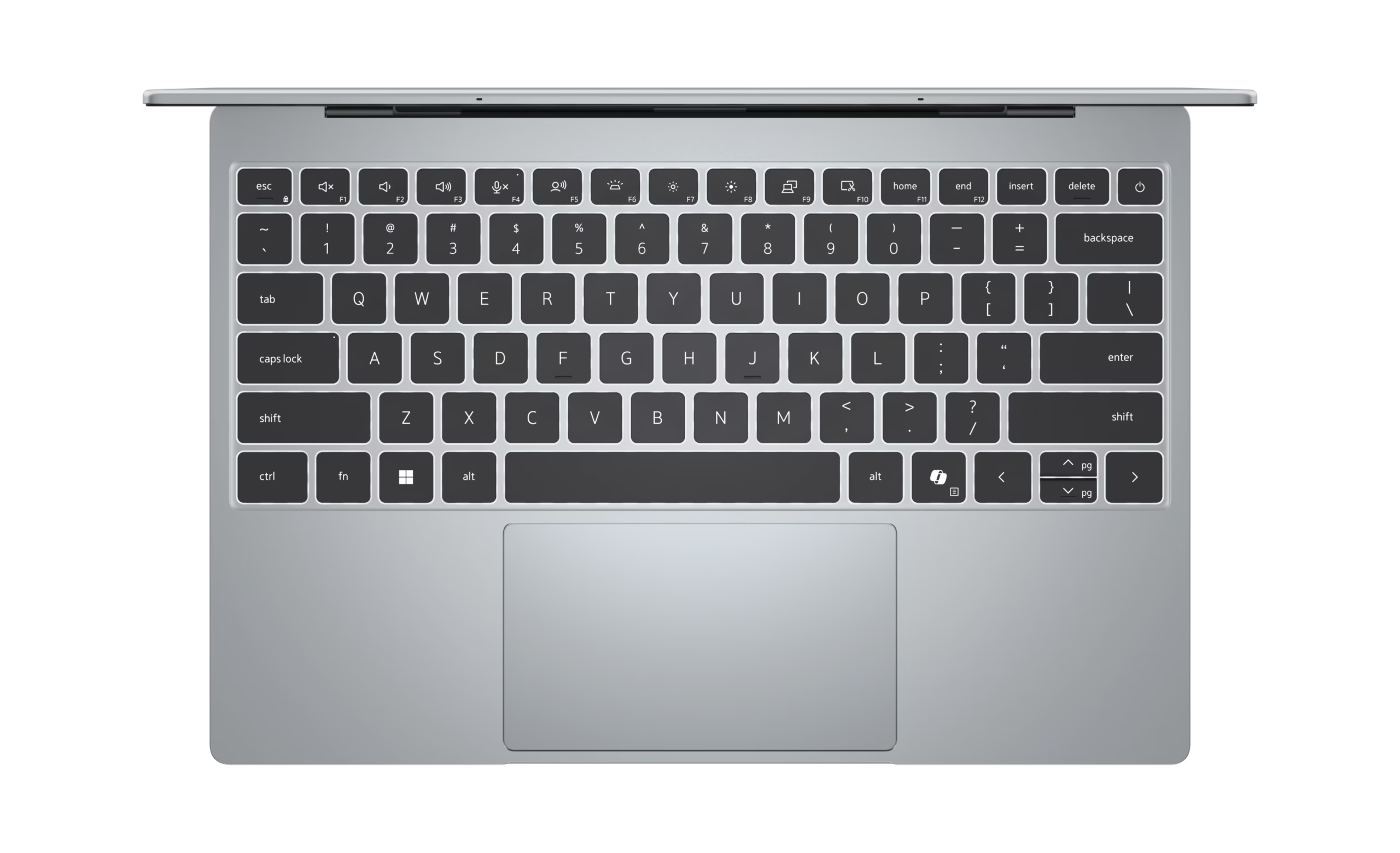
The laptop market in 2026 is becoming increasingly competitive, with manufacturers focusing on thinner designs, longer battery life, AI capabilities, and better displays. Among the latest Windows laptops, the Dell XPS 13 (2026) stands out with its compact design, premium construction, and focus on everyday productivity.
Dell has brought back the XPS 13 in a more affordable form, making it an interesting option for students, professionals, business users, and people who want a lightweight Windows laptop without moving into the high-end price range.
Dell XPS 13 (2026): Key Specifications
| Feature | Specification |
|---|---|
| Display | 13-inch touchscreen, up to 120Hz |
| Processor | Intel Core 5 320 |
| RAM | 8GB / 16GB |
| Storage | Up to 512GB SSD |
| Operating System | Windows 11 |
| Weight | Around 2.2 pounds |
| Connectivity | USB-C ports, Wi-Fi 7, Bluetooth |
| Webcam | Integrated webcam |
| Starting Price | Around $699.99 |
Specifications can vary depending on the configuration and market.
Design and Build Quality
The first thing you notice about the Dell XPS 13 is its compact size.
At around 2.2 pounds, the laptop is designed for portability. It can easily fit into a backpack or laptop bag, making it suitable for students, business travelers, and professionals who regularly work away from their desks.
The overall construction has a premium feel, while the thin profile keeps the laptop looking modern rather than bulky.
Dell has also focused heavily on the keyboard, trackpad, speakers, and display. These are areas that users interact with every day, and they contribute significantly to the overall experience.
Display
The XPS 13 features a 13-inch display and offers configurations with a high refresh rate.
The 120Hz option is particularly useful for users who spend a lot of time scrolling through websites, working with documents, watching videos, or navigating Windows.
The compact screen size also helps keep the laptop portable.
However, users who regularly work with large spreadsheets, video timelines, or multiple windows simultaneously may prefer a 14- or 16-inch laptop.
Performance
The 2026 Dell XPS 13 uses Intel’s Core 5 320 processor and is available with up to 16GB of RAM and 512GB of SSD storage.
For everyday work, the configuration is designed to handle tasks such as:
- Microsoft Office
- Web browsing
- Online meetings
- YouTube and streaming
- Canva
- Social media management
- Light photo editing
- General business applications
The 16GB configuration is particularly attractive for people who regularly multitask.
The 8GB version can handle basic tasks, but users who keep many browser tabs and applications open should consider the 16GB model.
Battery Life
Battery life is an important consideration for an ultraportable laptop.
The XPS 13 is designed to provide enough battery life for normal productivity and mobile use, although battery performance will depend heavily on configuration, display settings, workload, and applications.
This means users should not expect identical battery results across every configuration.
For someone who spends most of the day working with documents, browsing the web, attending meetings, and using cloud applications, the XPS 13 is designed to be a practical mobile workstation.
Ports and Connectivity
The laptop follows the modern trend toward USB-C connectivity.
It also supports modern wireless standards, including Wi-Fi 7 on supported configurations, which makes it well suited to newer wireless networks.
One important consideration is the lack of a traditional headphone jack.
Users who rely on wired headphones or older accessories may need a USB-C adapter or wireless alternative.
Keyboard and Trackpad
Dell has paid considerable attention to the keyboard and trackpad.
For people who spend several hours writing emails, preparing documents, coding, or working online, these components can have a bigger impact on everyday usability than raw benchmark performance.
The XPS 13’s keyboard provides a comfortable typing experience, while the trackpad offers a large and responsive surface.
Who Should Buy the Dell XPS 13?
The Dell XPS 13 (2026) makes the most sense for users who prioritize:
Portability:
Its compact size and lightweight construction make it convenient for people who travel frequently.
Business and office work:
The laptop is well suited to Microsoft Office, email, browser-based applications, meetings, and general productivity.
Students:
Its lightweight design makes it practical for carrying between home, university, libraries, and classrooms.
Everyday users:
For browsing, streaming, social media, documents, and general computing, the XPS 13 provides a modern Windows experience.
Who Should Consider Another Laptop?
The XPS 13 isn’t necessarily the right choice for everyone.
Users who need extensive graphics performance for professional video editing, 3D rendering, or demanding gaming should consider a laptop with a dedicated GPU.
Likewise, people who regularly work with large spreadsheets or multiple applications may prefer a larger display.
The 8GB RAM configuration may also feel restrictive for heavier multitasking, making the 16GB version a more practical choice for many users.
Dell XPS 13 (2026) vs. MacBook
The XPS 13 enters an increasingly competitive market where Apple’s MacBook lineup and newer Windows ultraportables are competing for users who want thin, lightweight computers.
Its biggest advantage is the Windows ecosystem.
For users who depend on Windows applications, Microsoft Office workflows, PC gaming compatibility, or Windows-specific software, the XPS 13 provides a familiar environment.
The MacBook ecosystem remains attractive to users who prefer macOS, Apple’s hardware integration, and Apple’s processor platform.
Rather than focusing only on specifications, buyers should choose based on the operating system and applications they actually use.
Final Thoughts
The Dell XPS 13 (2026) demonstrates how much performance and functionality can fit into a very small laptop.
Its compact design, premium construction, high-refresh-rate display option, modern connectivity, and Windows platform make it an interesting choice for professionals, students, and everyday users.
The 16GB RAM configuration is worth considering for users who regularly multitask, while the smaller 13-inch format makes the laptop particularly attractive to people who prioritize portability.
Overall, the XPS 13 represents Dell’s attempt to bring the premium XPS experience to a broader audience while competing directly in the increasingly competitive compact-laptop market.
Quick Specifications
Product: Dell XPS 13 (2026)
Category: Windows Ultrabook
Processor: Intel Core 5 320
RAM: 8GB / 16GB
Storage: Up to 512GB SSD
Display: 13-inch, up to 120Hz
Weight: Approximately 2.2 lb
Operating System: Windows 11
Best For: Students, professionals, business users and everyday computing
Starting Price: Approximately $699.99
Prices and specifications may vary by country, retailer, and configuration. Always check the manufacturer’s specifications before purchasing.