



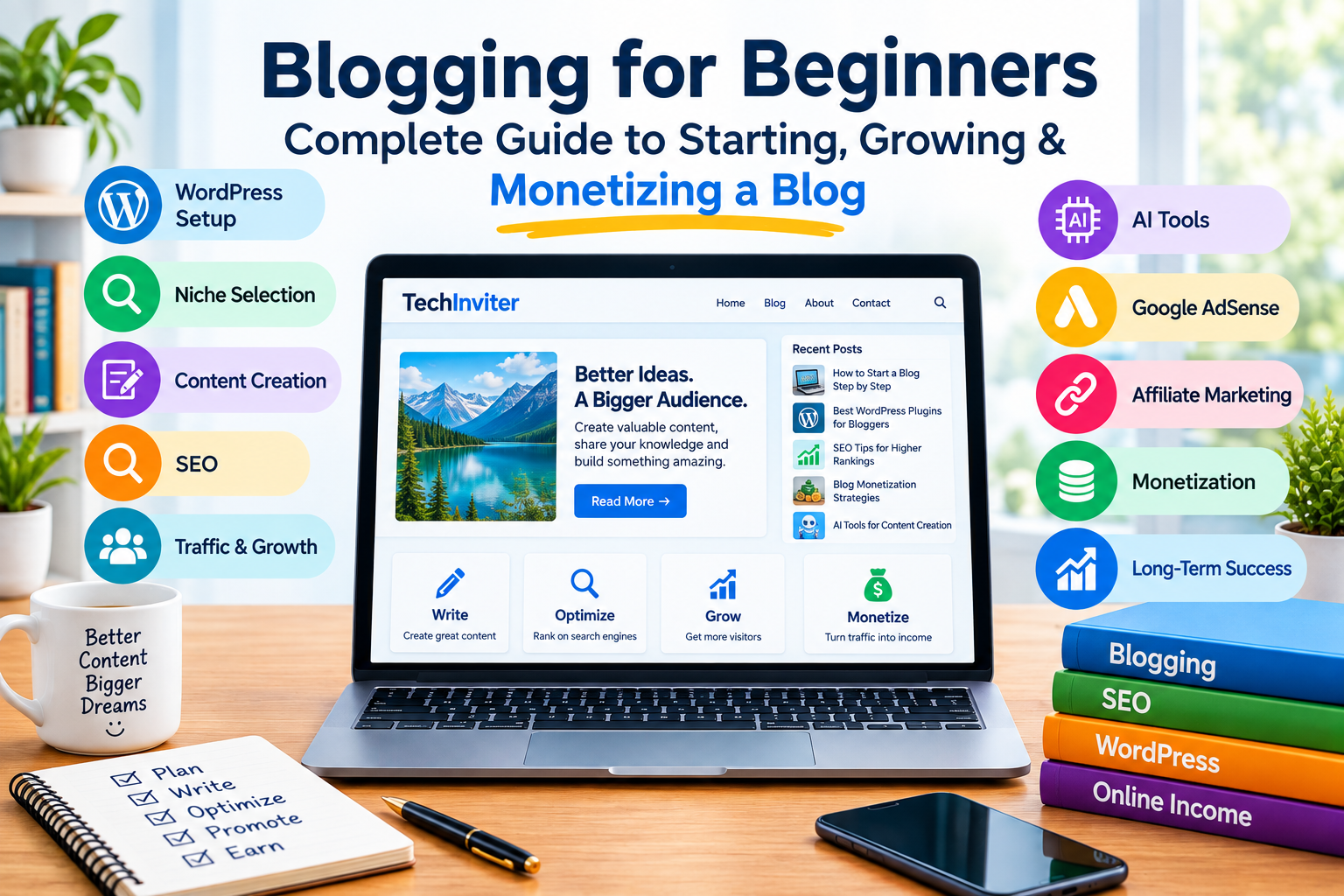
Starting a blog can look simple: choose a website name, publish articles, and wait for visitors. In reality, successful blogging involves much more.
You need to choose the right topic, build a useful website, create genuinely helpful content, understand search engine optimization (SEO), attract visitors, analyze your results, maintain your website, and eventually choose appropriate ways to monetize your audience.
This complete blogging guide explains the entire process—from creating your first blog to building a long-term content business. Whether you are completely new to blogging or already have a website, this guide can help you understand what you should do, what you should avoid, and how the different parts of blogging work together.
Table of Contents
- What Is Blogging?
- How Does a Blog Work?
- Why Do People Start Blogs?
- Is Blogging Still Worth Starting?
- Blog vs Website
- Choosing a Blog Niche
- How to Choose the Right Topic
- Finding Your Target Audience
- Choosing a Blog Name
- Buying a Domain Name
- Choosing Web Hosting
- WordPress vs Other Blogging Platforms
- Setting Up WordPress
- Choosing a WordPress Theme
- Essential WordPress Plugins
- Creating Important Website Pages
- Creating Your Blog Categories
- Planning Your Content
- How to Find Blog Topics
- Keyword Research
- Search Intent
- How to Write a Useful Blog Post
- Blog Post Structure
- Writing Better Headlines
- Introduction and Hook
- Using Headings Correctly
- Images and Visual Content
- Using AI for Blogging
- AI Content: What You Should Know
- SEO for Beginners
- On-Page SEO
- Technical SEO
- Internal Linking
- External Links
- Meta Titles and Descriptions
- URLs and Permalinks
- Image SEO
- Mobile Optimization
- Website Speed
- Sitemap and Search Engines
- Google Search Console
- Analytics
- How to Get Your First Visitors
- Social Media Traffic
- Email Marketing
- Building Authority
- Updating Old Articles
- How Long Does Blogging Take?
- Common Blogging Mistakes
- Why Blogs Fail
- Blog Monetization
- Google AdSense
- Affiliate Marketing
- Selling Digital Products
- Services and Freelancing
- Sponsored Content
- Display Advertising
- Building a Blogging Business
- Blogging Costs
- Blogging Workflow
- A 30-Day Blogging Plan
- A 90-Day Growth Plan
- Blogging Checklist
- Frequently Asked Questions
- Final Thoughts
1. What Is Blogging?
Blogging is the process of regularly publishing useful information, articles, guides, reviews, tutorials, opinions, research, news or other content on a website.
A blog can focus on almost any subject.
Examples include:
- Technology
- Artificial intelligence
- Business
- Finance
- Travel
- Education
- Food
- Fitness
- Photography
- Software
- WordPress
- Ecommerce
- Digital marketing
- Personal development
- Gaming
- News and analysis
- Tutorials
A blog can be a personal project, a business website, a media publication, a portfolio, or a source of online income.
The most important principle is simple:
Create content that provides a real reason for someone to visit your website.
2. How Does a Blog Work?
A typical blogging system works like this:
Idea → Research → Keyword/Topic Analysis → Writing → Editing → Publishing → SEO → Promotion → Visitors → Analysis → Updating
For example:
You discover that people are searching for information about starting a WordPress website.
You research the subject, identify the questions people have, write a comprehensive article, optimize it for search engines, publish it, promote it, monitor its performance and update it when necessary.
Over time, the article may attract visitors through search engines, social media, referrals or other sources.
3. Why Do People Start Blogs?
People start blogs for many different reasons.
Common reasons include:
- Sharing knowledge
- Building a personal brand
- Promoting a business
- Getting customers
- Building an audience
- Creating a portfolio
- Affiliate marketing
- Advertising
- Selling products
- Selling services
- Building authority in a particular field
- Supporting an ecommerce business
- Creating a long-term digital asset
You do not need to choose only one objective.
A blog can eventually support several business models.
4. Is Blogging Still Worth Starting?
Blogging has changed significantly.
Publishing hundreds of short articles and expecting automatic traffic is not a reliable strategy.
Modern blogging requires:
- Useful information
- Original value
- Good organization
- Strong user experience
- Search optimization
- Regular maintenance
- Credible information
- A clear audience
- Patience
Competition is high in many topics, but there are still opportunities for websites that solve specific problems and provide useful information.
Instead of asking:
“How many articles can I publish?”
Ask:
“How many useful problems can my website solve?”
5. Blog vs Website
A website is the broader concept.
A blog is usually a website or section of a website containing regularly published articles.
For example, a technology website might have:
- Home
- Blog
- Reviews
- Tutorials
- Tools
- About
- Contact
- Privacy Policy
The blog is therefore only one part of the overall website.
6. Choosing a Blog Niche
A niche is the specific subject or audience your website focuses on.
Examples:
Broad:
Technology
More focused:
AI tools
Even more focused:
AI tools for small businesses
A focused topic can make it easier to establish a clear identity.
Examples of niches
- AI for business
- WordPress tutorials
- Smartphone guides
- Laptop reviews
- Ecommerce tutorials
- Digital marketing
- Blogging
- Productivity software
- Travel guides
- Photography tutorials
7. How to Choose the Right Topic
Before choosing a niche, ask yourself:
1. Do people care about this subject?
There should be a real audience.
2. Can I create many useful topics?
A niche that only provides ten possible articles may be difficult to develop.
3. Can I provide something useful?
Experience, research, testing, tutorials, comparisons or original insights can add value.
4. Are there monetization opportunities?
Consider:
- Advertising
- Affiliate programs
- Products
- Services
- Sponsorships
- Courses
- Software
- Memberships
5. Can I continue working on it?
A blog usually requires long-term consistency.
8. Finding Your Target Audience
Do not try to write for everyone.
Define your ideal reader.
For example:
Audience: Beginners learning WordPress
Their problems might include:
- How to install WordPress
- How to choose a theme
- How to add plugins
- How to write posts
- How to improve SEO
- How to add meta descriptions
- How to monetize a website
Your content should answer these problems.
9. Choosing a Blog Name
A good blog name should ideally be:
- Easy to remember
- Easy to pronounce
- Easy to type
- Relevant to the brand
- Not unnecessarily long
- Available as a domain
- Suitable for future expansion
Avoid choosing a name that restricts your website unnecessarily. For example, if you plan to cover technology, AI and online tools, a broad technology brand may provide more flexibility than a name based on one specific product.
10. Buying a Domain Name
A domain is your website’s address.
For example:
example.com
Common domain extensions include:
- .com
- .net
- .org
- .co
- Country-specific extensions
Choose carefully because changing your domain later can create additional work.
Before purchasing, check:
- Trademark concerns
- Spelling
- Availability
- Social media availability
- Brand suitability
11. Choosing Web Hosting
Web hosting stores your website files and makes them accessible online.
When choosing hosting, consider:
- Server performance
- Reliability
- WordPress support
- Backups
- Security
- SSL
- Storage
- Bandwidth
- Customer support
- Migration options
- Pricing
- Renewal costs
Do not select hosting based only on the cheapest introductory price.
12. WordPress vs Other Blogging Platforms
There are many platforms available.
WordPress is popular because it provides extensive control over:
- Design
- Plugins
- Themes
- SEO
- Content
- Ecommerce
- Custom functionality
- Monetization
Other platforms may be easier for certain use cases. The right choice depends on how much control and customization you need.
13. Setting Up WordPress
A basic WordPress setup generally includes:
- Domain
- Hosting
- SSL
- WordPress installation
- Theme
- Essential plugins
- Permalink structure
- Categories
- Important pages
- Search engine configuration
- Analytics
- Backup system
- Security settings
Do not install dozens of plugins simply because they exist. Every plugin should have a purpose.
14. Choosing a WordPress Theme
Your theme controls much of your website’s appearance and layout.
Look for:
- Responsive design
- Mobile compatibility
- Good typography
- Clean navigation
- Accessibility
- Performance
- Customization options
- Regular updates
- Compatibility with your plugins
A beautiful theme is not useful if visitors cannot easily find and read your content.
15. Essential WordPress Plugins
The exact plugins depend on your website.
Common plugin categories include:
- SEO
- Caching
- Security
- Backup
- Contact forms
- Image optimization
- Analytics integration
- Spam protection
- Redirection
- Performance optimization
Avoid installing multiple plugins that perform the same function unless you understand why you need both.
16. Creating Important Website Pages
A professional blog should normally have important informational pages such as:
About
Explain who operates the website and what it provides.
Contact
Give visitors a way to contact you.
Privacy Policy
Explain how personal information and data are handled.
Terms and Conditions
Explain relevant website rules and terms.
Disclaimer
Important where appropriate, particularly for informational, financial, affiliate or other specialized content.
Cookie/Consent Information Depending on your audience, location and technologies used, appropriate privacy and consent mechanisms may be necessary.
17. Creating Your Blog Categories
Categories organize your content.
For a technology website, categories could include:
- AI
- Business
- Blogging
- WordPress
- Software
- Gadgets
- Reviews
- Tutorials
- SEO
- Online Tools
Do not create a separate category for every small topic. Keep your structure understandable.
18. Planning Your Content
Before writing, create a content plan.
A simple spreadsheet can contain:
| Topic | Keyword | Search Intent | Category | Status | Published Date |
| WordPress Guide | WordPress for beginners | Informational | WordPress | Draft | — |
| AI Business Tools | AI tools for business | Informational | AI | Published | Date |
| Blogging Guide | blogging for beginners | Informational | Blogging | Published | Date |
This prevents random publishing.
19. How to Find Blog Topics
Potential topic sources include:
- Questions people ask
- Search engine suggestions
- Forums
- Customer questions
- Competitor content
- Product documentation
- Industry news
- Your own experience
- Existing articles that need improvement
- Related searches
- Frequently encountered problems
One useful method is:
Problem → Question → Solution → Article
Example:
Problem:
“I don’t know how to compress images.”
Article: “How to Compress Images Without Losing Noticeable Quality”
20. Keyword Research
A keyword is a word or phrase people use when searching for information.
Examples:
- how to start a blog
- WordPress SEO
- best blogging tools
- how to write a blog post
Keyword research helps you understand what people are searching for.
But do not write solely for keywords. The goal is to satisfy the searcher’s need.
21. Search Intent
Search intent is the reason behind a search.
Common types include:
Informational
The person wants information.
Example:
“How does WordPress work?”
Navigational
The person wants a particular website or page.
Commercial investigation
The person is researching before making a decision.
Example:
“Best WordPress hosting for beginners”
Transactional
The person is ready to take an action.
Example:
“Buy WordPress hosting” Understanding intent helps you create the appropriate type of content.
22. How to Write a Useful Blog Post
A useful article should answer the reader’s question clearly.
Before publishing, ask:
- Does this answer the main question?
- Is the information organized?
- Are important details missing?
- Are examples included?
- Are claims supported where necessary?
- Is the article easy to read?
- Are instructions actually usable?
Does the article provide something beyond generic information?
23. Blog Post Structure
A strong article can use this structure:
Title
↓
Introduction
↓
Quick Answer
↓
Main Explanation
↓
Step-by-Step Instructions
↓
Examples
↓
Common Problems
↓
Solutions
↓
FAQs
↓
Conclusion This structure makes long articles easier to navigate.
24. Writing Better Headlines
Your headline should accurately describe the article.
Examples:
Weak:
“Blogging Tips”
Better:
“Blogging for Beginners: Complete Guide to Starting, Growing and Monetizing a Blog” Do not create misleading headlines simply to get clicks.
25. Introduction and Hook
The introduction should quickly explain:
- What the article covers
- Who it is for
- What problem it solves
- What the reader will learn
Avoid spending several paragraphs explaining something the reader already understands.
26. Using Headings Correctly
Use headings to divide information.
Typical hierarchy:
H1: Main article title
H2: Major sections
H3: Subsections
H4: Smaller subsections when necessary
Do not use headings only because they look visually attractive.
They should represent the structure of your content.
27. Images and Visual Content
Images can make articles easier to understand.
Useful visual content includes:
- Screenshots
- Diagrams
- Charts
- Infographics
- Product images
- Step-by-step illustrations
Optimize images before uploading them.
Consider:
- File size
- Dimensions
- Appropriate format
- Descriptive filenames
- Alt text
- Image quality
Do not unnecessarily upload extremely large images.
28. Using AI for Blogging
AI can help with many parts of blogging.
For example:
- Brainstorming topics
- Creating outlines
- Research organization
- Drafting
- Rewriting
- Grammar checking
- Creating meta descriptions
- Generating image ideas
- Creating content calendars
- Analyzing existing content
- Creating FAQ ideas
- Writing code for tools
However, AI should be treated as a tool—not a replacement for editorial responsibility.
29. AI Content: What You Should Know
Simply generating large amounts of generic AI text is not a blogging strategy.
Before publishing AI-assisted content:
- Verify factual claims
- Remove errors
- Add useful examples
- Add original information
- Check sources
- Improve readability
- Add relevant visuals
- Test instructions
- Make the article genuinely useful
If AI helps you create an article, the final responsibility for accuracy and quality remains with the publisher.
30. SEO for Beginners
SEO stands for Search Engine Optimization.
SEO is the process of improving your website and content so that search engines can understand it and users can discover relevant pages.
SEO includes several areas:
- Content
- Search intent
- On-page optimization
- Technical SEO
- Internal linking
- Site structure
- Performance
- Mobile usability
- Structured data where appropriate
- Reputation and links
SEO is not a single button you turn on.
31. On-Page SEO
On-page SEO includes elements on your page.
Important areas include:
- Title
- Headings
- Content
- URLs
- Internal links
- Images
- Alt text
- Meta description
- Structured information where appropriate
The most important goal is to create a page that clearly satisfies the user’s need.
32. Technical SEO
Technical SEO concerns how search engines can access and understand your website.
Areas include:
- Crawlability
- Indexing
- HTTPS
- Site architecture
- XML sitemap
- Canonical URLs
- Redirects
- Mobile usability
- Page performance
- Structured data
- Broken links
Technical problems can prevent otherwise useful content from performing properly.
33. Internal Linking
Internal links connect pages within your own website.
For example:
Your blogging guide could link to:
- WordPress tutorials
- SEO guides
- AdSense guides
- AI tools
- Image optimization tutorials
Internal links help users discover related information and help search engines understand relationships between pages.
34. External Links
External links point to other websites.
Use them when they improve the article.
Good examples include links to:
- Official documentation
- Government websites
- Research
- Original announcements
- Product documentation
- Authoritative organizations
Do not add external links simply to make an article look authoritative.
35. Meta Titles and Descriptions
The SEO title helps describe your page to search engines and users.
The meta description can provide a short summary of the page.
Example:
Title:
Blogging for Beginners: Complete Guide to Starting, Growing & Monetizing a Blog
Description:
Learn how to start a blog, choose a niche, create useful content, improve SEO, attract visitors and explore different blogging monetization methods. Write descriptions for humans, not keyword lists.
36. URLs and Permalinks
Keep URLs simple and descriptive.
Better:
example.com/blogging-for-beginners/
Less useful:
example.com/?p=12345 Avoid unnecessary words and complicated URL structures.
37. Image SEO
For every important image:
- Use an appropriate filename
- Compress the file
- Use suitable dimensions
- Add meaningful alt text where appropriate
- Avoid unnecessary decorative images
- Choose an efficient image format
Alt text should describe the image when it provides meaningful information. Do not fill alt text with keywords.
38. Mobile Optimization
A large portion of internet usage occurs on mobile devices.
Your website should be easy to use on:
- Smartphones
- Tablets
- Laptops
- Desktop computers
Check:
- Font size
- Buttons
- Navigation
- Images
- Tables
- Forms
- Tool interfaces
- Page width
Do not assume your desktop design automatically works well on mobile.
39. Website Speed
Website performance affects user experience.
Possible improvements include:
- Compressing images
- Reducing unnecessary plugins
- Using caching
- Optimizing scripts
- Using suitable hosting
- Reducing unnecessary third-party resources
- Keeping themes and plugins updated
Test your website instead of assuming it is fast.
40. Sitemap and Search Engines
An XML sitemap provides search engines with information about pages you want them to discover.
Most modern SEO plugins can help generate one.
After configuring your website, check that important pages can be crawled and indexed.
Remember:Being included in a sitemap does not guarantee search ranking.
41. Google Search Console
Search Console can help website owners understand how their site appears in Google Search.
It can provide information about:
- Search queries
- Impressions
- Clicks
- Average position
- Indexing
- Search enhancements
- Technical issues
Use this information to identify opportunities and problems.
42. Analytics
Analytics helps you understand what visitors do on your website.
Depending on your setup, you may want to understand:
- Number of visitors
- Traffic sources
- Popular pages
- Engagement
- Device types
- Geographic information
- Conversions
- Events
Do not focus only on visitor numbers.
Ask:What are visitors actually doing?
43. How to Get Your First Visitors
A new website may receive little traffic initially.
Possible traffic sources include:
- Search engines
- Social media
- Communities
- Direct traffic
- Referral websites
- Partnerships
- Existing audiences
Do not expect a new website to immediately receive thousands of visitors. Build useful content first.
44. Social Media Traffic
Your articles can be promoted through relevant social platforms.
Depending on your audience, these may include:
- YouTube
- X
- Other relevant communities
Do not simply publish the same promotional message everywhere. Adapt the content to each platform.
45. Email Marketing
Email can become an important traffic channel.
You can offer visitors something useful in exchange for subscribing, where appropriate.
Examples:
- Checklist
- Guide
- Template
- Free tool
- Newsletter
- Tutorial
Build an email list responsibly and provide clear information about how subscriber data is handled.
46. Building Authority
Authority develops over time.
Ways to build credibility include:
- Accurate information
- Transparent authorship
- Original research
- Demonstrated experience
- Useful tutorials
- Citations to reliable sources
- Consistent publishing
- Updating outdated content
- Correcting mistakes
Do not claim expertise you do not have.
47. Updating Old Articles
Publishing is not the end.
Articles can become outdated because:
- Software changes
- Prices change
- Features change
- Policies change
- Screenshots become outdated
- Links stop working
- Better information becomes available
Review important articles periodically. Update the actual content—not just the publication date.
48. How Long Does Blogging Take?
There is no universal timeline.
Some websites gain attention quickly.
Others take much longer.
Results depend on factors such as:
- Topic
- Competition
- Content quality
- Website authority
- Search demand
- Distribution
- Consistency
- User experience
- Technical health
Avoid anyone promising guaranteed traffic or guaranteed income within a specific number of days.
49. Common Blogging Mistakes
Mistake 1: Writing for search engines instead of people
Keyword stuffing usually produces poor content.
Mistake 2: Copying competitors
Your website should provide its own value.
Mistake 3: Publishing without research
Poor research can lead to inaccurate content.
Mistake 4: Ignoring mobile users
A desktop-only experience can lose visitors.
Mistake 5: Installing too many plugins
More plugins do not automatically mean a better website.
Mistake 6: Ignoring website security
Keep WordPress, themes and plugins updated.
Mistake 7: Never updating content
Old information can become misleading.
Mistake 8: Expecting instant income
Blogging generally requires time and ongoing work.
Mistake 9: Creating hundreds of low-value AI articles
More content does not automatically mean more useful content.
Mistake 10: Ignoring legal and privacy requirements Websites should consider applicable privacy, advertising, copyright and other legal requirements.
50. Why Blogs Fail
A blog may struggle because:
- The topic is unclear
- The audience is undefined
- Content provides little original value
- Articles do not answer search intent
- Publishing is inconsistent
- The site is difficult to navigate
- Technical problems prevent indexing
- Pages are extremely slow
- Content is outdated
- Monetization is introduced too aggressively
- The owner stops before building momentum
The solution is usually not simply “publish more.” First identify the actual problem.
51. Blog Monetization
Once you have useful content and an audience, there are multiple monetization options.
These include:
- Display advertising
- Affiliate marketing
- Digital products
- Services
- Sponsored content
- Memberships
- Courses
- Software
- Templates
- Consulting
- Ecommerce
Not every monetization method is suitable for every website.
52. Google AdSense
AdSense allows eligible website owners to display advertisements and potentially earn revenue when visitors interact with ads according to Google’s program rules.
Before applying, make sure your website is properly developed and follows applicable policies.
Focus on:
- Useful original content
- Clear navigation
- Good user experience
- Appropriate website information
- Privacy requirements
- Compliance with advertising policies
Do not build a website solely around advertisements. The visitor should remain the priority.
53. Affiliate Marketing
Affiliate marketing allows you to earn commissions when users purchase products or services through qualifying links.
For example, a technology website might review software or hardware and include relevant affiliate links.
Good affiliate content should provide genuine information such as:
- Features
- Limitations
- Use cases
- Alternatives
- Pricing information where current
- Who the product may suit
Always follow applicable disclosure requirements.
54. Selling Digital Products
A blog can support digital products such as:
- Templates
- Ebooks
- Checklists
- Design resources
- Presets
- Courses
- Software
- Plugins
- Digital tools
The best product usually solves a problem your audience already has.
55. Services and Freelancing
A blog can also generate leads for services.
Examples:
- Web development
- SEO
- Graphic design
- Content writing
- Consulting
- WordPress setup
- Digital marketing
- Video editing
- AI automation
Educational content can demonstrate your knowledge before a potential customer contacts you.
56. Sponsored Content
Companies may pay publishers to create sponsored content or promotional placements.
If you use sponsored content:
- Clearly identify sponsored relationships where required
- Follow applicable advertising rules
- Do not make false claims
- Protect your site’s credibility
Do not accept every sponsorship simply because money is offered.
57. Display Advertising
Display advertising can generate revenue based on advertising activity on your website.
However, excessive advertising can hurt:
- Readability
- Page speed
- User experience
- Navigation
Balance monetization with usability.
58. Building a Blogging Business
A mature blog can become more than an article collection.
It can become an ecosystem:
Content
↓
Search Traffic
↓
Audience
↓
Email Subscribers
↓
Products / Services / Advertising
↓
Revenue
↓
Reinvest in Content and Website This creates a system rather than relying on a single article.
59. Blogging Costs
The cost of blogging varies.
Potential expenses include:
- Domain
- Hosting
- Premium theme
- Premium plugins
- Email service
- SEO tools
- Image resources
- AI tools
- Content tools
- Freelancers
- Advertising
You can start small. Do not spend heavily before you understand what your audience needs.
60. A Practical Blogging Workflow
A simple workflow can be:
Step 1 — Find a topic
Identify a real problem or question.
Step 2 — Research
Understand what the reader needs.
Step 3 — Create an outline
Plan the article before writing.
Step 4 — Write
Create useful, clear content.
Step 5 — Verify
Check facts, links and instructions.
Step 6 — Optimize
Improve title, headings, URL, images and internal links.
Step 7 — Publish
Check the page on desktop and mobile.
Step 8 — Promote
Share through appropriate channels.
Step 9 — Monitor
Review traffic and search performance.
Step 10 — Update Improve the article as information changes.
61. A 30-Day Blogging Plan
Week 1 — Foundation
Day 1: Choose your niche
Day 2: Define your audience
Day 3: Choose your domain
Day 4: Set up hosting
Day 5: Install WordPress
Day 6: Configure theme and navigation
Day 7: Create important pages
Week 2 — Content Strategy
Day 8: Create categories
Day 9: Research topics
Day 10: Create keyword/topic list
Day 11: Identify search intent
Day 12: Create content calendar
Day 13: Write first article
Day 14: Publish and optimize
Week 3 — Build Content
Publish additional useful articles.
Focus on solving specific problems rather than writing generic posts.
Create internal links between related articles.
Week 4 — SEO and Promotion
Check:
- Indexing
- Sitemap
- Mobile experience
- Page speed
- Internal links
- Search Console
- Analytics
- Social profiles
- Website navigation
Then continue publishing and improving.
62. A 90-Day Growth Plan
Month 1: Foundation
Focus on:
- Website setup
- Branding
- Categories
- Important pages
- Initial content
- SEO basics
- Search Console
- Analytics
Month 2: Content
Focus on:
- Consistent publishing
- Topic clusters
- Internal linking
- Improving existing articles
- Visual content
- Social promotion
Month 3: Optimization
Analyze:
- Which pages receive traffic?
- Which pages receive impressions?
- Which pages have low engagement?
- Which articles need improvement?
- Which topics deserve additional content?
Then build more content around demonstrated audience interest.
63. Blogging Checklist
Before publishing an article, check:
Content
☐ Does the article answer the main question?
☐ Is the information accurate?
☐ Is the content easy to understand?
☐ Are important questions answered?
☐ Are examples included where useful?
SEO
☐ Clear title
☐ Descriptive URL
☐ Useful headings
☐ Meta description
☐ Internal links
☐ Relevant external sources where appropriate
☐ Optimized images
☐ Appropriate alt text
User Experience
☐ Mobile friendly
☐ Easy navigation
☐ Readable font
☐ Short paragraphs
☐ Useful formatting
☐ No unnecessary popups
Technical
☐ HTTPS working
☐ Page loads correctly
☐ Links work
☐ Images load
☐ Forms work
☐ Page is indexable when appropriate
Monetization
☐ Advertising is not excessive
☐ Affiliate disclosures are provided where required
☐ Sponsored relationships are disclosed where required ☐ Privacy information is available
64. Frequently Asked Questions
Can I start a blog without technical knowledge?
Yes. Modern blogging platforms make it possible to create websites without being an experienced programmer.
However, learning basic WordPress, SEO and website management will make it much easier to maintain your site.
How much does it cost to start a blog?
There is no single price. Your cost depends on your domain, hosting, themes, plugins and other services.
You can start with a relatively small setup and add expenses as your website grows.
How many articles should I publish?
There is no universal required number.
Focus on usefulness, relevance and quality rather than chasing a specific article count.
How long should a blog post be?
There is no universal ideal word count.
An article should be as long as necessary to properly satisfy the user’s need.
A simple question may require 500 words.
A comprehensive guide may require several thousand.
Do not add unnecessary paragraphs merely to increase word count.
Can AI write my blog posts?
AI can assist with research, planning, drafting and editing.
However, you should review AI-generated information, verify important claims and add genuine value before publishing.
Can I make money blogging?
Yes, blogs can be monetized in several ways, including advertising, affiliate marketing, products and services.
Income is not guaranteed, and results vary significantly.
Do I need SEO?
If you want to receive organic search traffic, understanding SEO is useful.
However, SEO should support good content rather than replace it.
Should I use WordPress?
WordPress is one option among several.
It is particularly useful if you want extensive control over your website, content and functionality.
Should I publish every day?
Not necessarily.
A sustainable publishing schedule is generally more useful than publishing content you cannot maintain.
Can I start blogging with a small budget?
Yes.
Start with the essentials and avoid purchasing expensive tools until you understand what you actually need.
Should I copy successful blogs?
Study successful websites to understand structure, topics and user needs, but do not copy their content.
Create your own useful material.
What if my blog gets no traffic?
Check:
- Is the website indexed?
- Are people actually searching for your topics?
- Does your content satisfy their intent?
- Is your website technically accessible?
- Are your articles useful and competitive?
- Are you promoting your content appropriately?
- Are you giving the website enough time to develop?
Use data rather than guessing.
65. Final Thoughts
Blogging is not simply publishing articles.
It is a complete process involving:
Research → Content → Website → SEO → Distribution → Audience → Analysis → Improvement → Monetization
The strongest foundation is not a huge number of articles.
It is a website that consistently helps people solve problems and find reliable information.
Start with a clear audience.
Choose a focused subject.
Create genuinely useful content.
Build a technically sound website.
Learn SEO.
Monitor your results.
Improve old content.
Experiment carefully with monetization.
Most importantly, think about the reader before thinking about the algorithm.
A successful blog is ultimately built around people, problems and useful solutions. Start small, learn continuously, and build your website as a long-term digital asset rather than expecting instant results.
Quick Blogging Formula
Choose a Topic
↓
Understand Your Audience
↓
Find Real Problems
↓
Research Topics
↓
Create Helpful Content
↓
Optimize Your Website
↓
Publish
↓
Promote
↓
Measure
↓
Improve
↓
Build Your Audience
↓
Monetize Responsibly
↓
Repeat
Start Your Blogging Journey
If you are building a blog today, do not try to do everything at once.
Start with the foundation:
Website → Audience → Content → SEO → Traffic → Improvement → Monetization
Once these pieces begin working together, you can gradually turn your blog into a larger website, resource center, online business or personal brand.
Your first goal should not be to become the biggest blog on the internet.Your first goal should be to become genuinely useful to the people you want to reach.